A lockout tagout removal form isn’t just paperwork—it’s the last line of defense in preventing accidental startups during maintenance. When equipment remains under energy control, one misstep during re-energization can lead to injury, downtime, or OSHA penalties. Yet too many teams treat the removal phase as an afterthought. The reality? The formality of a structured LOTO removal process is what separates compliant operations from near-misses. This article breaks down what the lockout tagout removal form is, why it matters, and how to implement it correctly—without creating unnecessary bureaucracy.
What Is a Lockout Tagout Removal Form?
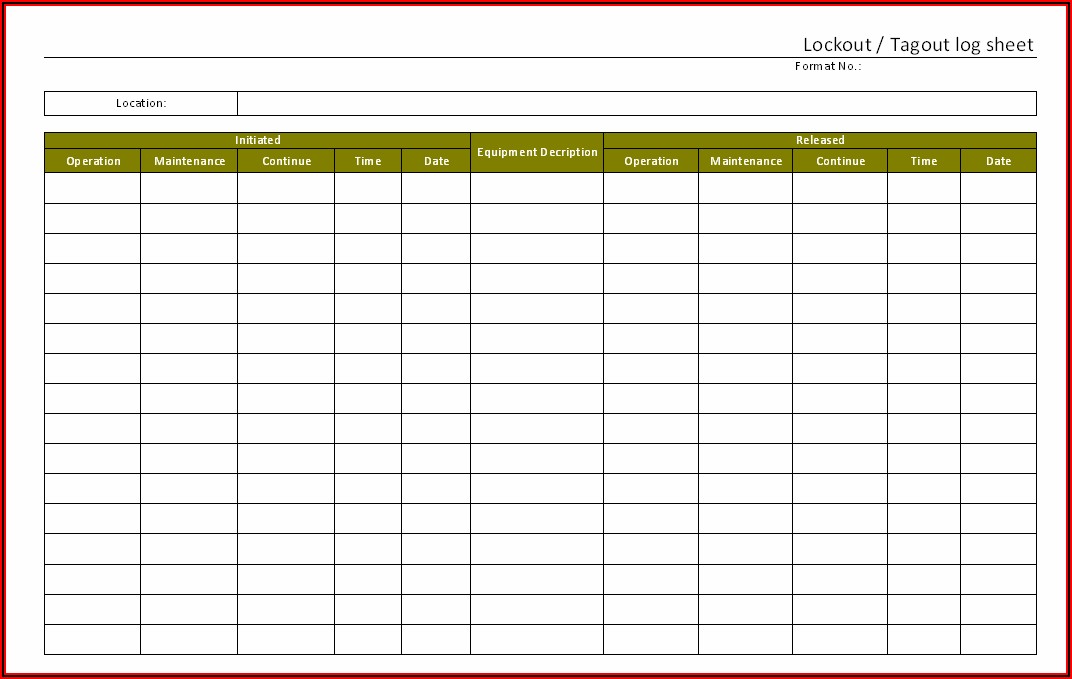
The lockout tagout removal form is a documented procedure used to verify that all safety controls are properly removed before equipment is restarted. It’s not always a standalone document—it may be part of a broader LOTO log, maintenance checklist, or digital workflow—but its purpose remains consistent: ensuring accountability and verification before re-energizing machinery.
OSHA’s 29 CFR 1910.147 outlines the requirements for controlling hazardous energy, and while it doesn’t mandate a specific “removal form,” it requires a formal procedure for releasing lockout devices. That’s where the removal form comes in—it operationalizes compliance.
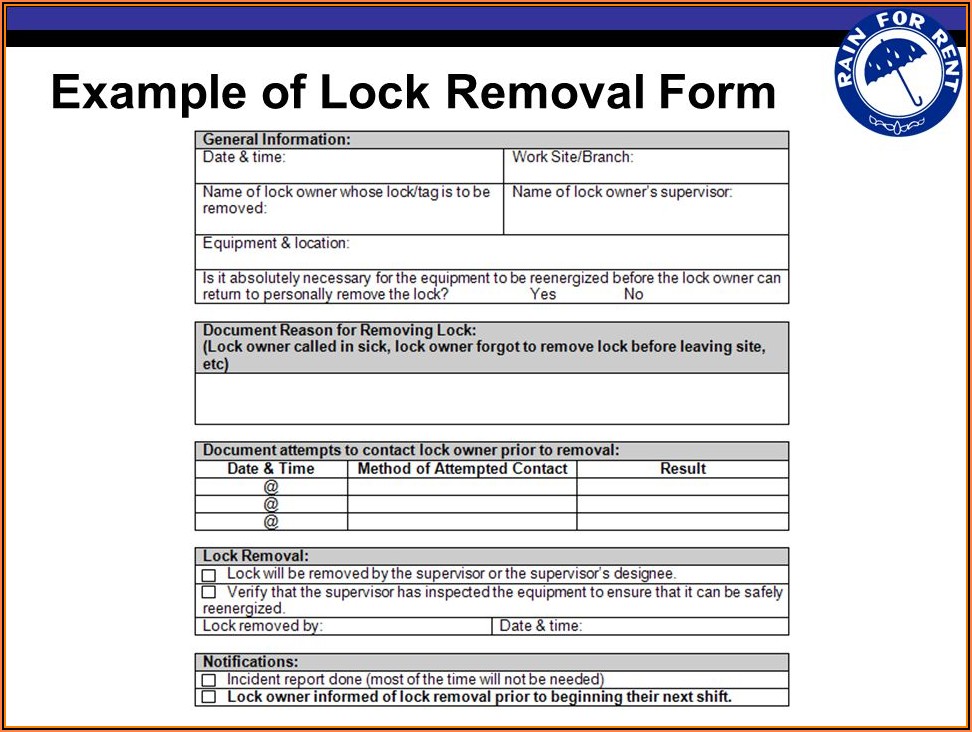
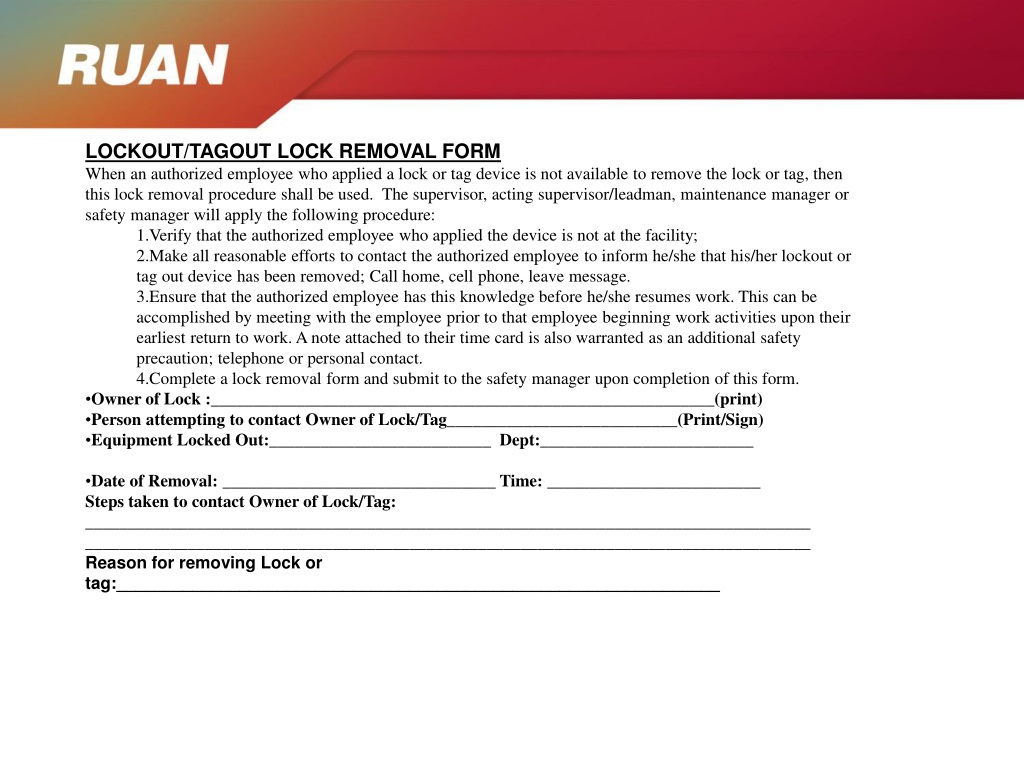
Key elements typically included: - Technician name and employee ID - Date and time of lock removal - Equipment ID or station - Verification that tools are removed and guards reinstalled - Supervisor or verifier signature (when required) - Reason for removal (e.g., job complete, shift change)
This form becomes especially critical during shift handovers, multi-craft work, or complex maintenance involving multiple energy sources.
Why the Removal Phase Is High-Risk
Most LOTO failures don’t happen during the lock application—they occur during removal. Consider these common scenarios:
- A technician removes a lock but forgets a secondary energy source (e.g., pneumatic pressure).
- A lock is removed prematurely because the worker assumes the job is done, but another team is still working downstream.
- During shift change, incoming personnel aren’t briefed, and locks are removed without proper verification.
A study by the National Institute for Occupational Safety and Health (NIOSH) found that nearly 20% of machinery-related injuries occurred during startup or restart phases—many of which could have been prevented with a verified removal process.
The removal form forces a pause. It requires confirmation, not assumption.
Real-World Example At a Midwest manufacturing plant, a maintenance technician completed a bearing replacement on a conveyor system. He removed his lock, notified operations, and restarted the line. Unbeknownst to him, an electrician was still troubleshooting a motor control circuit on the same line. The sudden startup caused a hand injury when the electrician’s tool was pulled into moving components.
An effective removal form would have required: - Verification that all personnel had removed their locks - A visual check that the area was clear - Final sign-off before re-energization
That form didn’t exist. The result? A $98,000 OSHA fine and six weeks of lost productivity.
Components of an Effective LOTO Removal Form
A form that sits in a binder and collects dust isn’t helping anyone. A good removal form is practical, enforceable, and integrated into daily workflow.
Here’s what to include—and why:
1. Equipment Identification Use clear identifiers: asset number, line name, or location code. Avoid vague descriptions like “north conveyor.” Specificity prevents confusion, especially in facilities with duplicate machinery.
2. Lock Inventory Log List each lock applied and who owns it. During removal, cross-reference this list to ensure no locks are missed. Digital systems can auto-populate this from the initial lockout log.
3. Verification Checklist
This isn't optional. Include items like: - All tools removed from machine - Guards and safety devices reinstalled - Work area cleared of personnel - All energy-isolating devices in neutral/off position
This section turns subjective judgment into objective confirmation.
4. Dual Sign-Off Requirement For high-risk equipment (e.g., presses, robotic cells), require both the technician and a supervisor or peer to sign. This adds a layer of peer accountability.
5. Electronic Timestamps (When Digital) If using a digital system, automatic timestamps eliminate backdating and provide an audit trail. Paper forms are acceptable, but harder to track and store.
Common Mistakes in LOTO Removal Even facilities with strong safety cultures make these missteps:
Mistake 1: Using the Same Form for Lockout and Removal Combining both processes into one form increases clutter and reduces clarity. A dedicated removal section or form keeps the focus on restarting safely—not rehashing the initial lockout.
Mistake 2: Skipping Verification
After Short Jobs “Just a quick fix—no need for the form.” That mindset leads to complacency. Duration doesn’t reduce risk. A 5-minute task on a hydraulic press carries the same hazard potential as a 5-hour overhaul.
Mistake 3: Allowing Remote Sign-Offs Without Verification Signing a form from a desk, without physically checking the machine, defeats the purpose. Verification must be on-site and real-time.
Mistake 4: Poor Form Accessibility If the removal form is locked in an office or buried in a digital menu, workers won’t use it. Keep forms at point-of-use: on clipboards near control panels or embedded in mobile maintenance apps.
Digital vs. Paper LOTO Removal Systems
While paper forms are still common, digital solutions are gaining traction—especially in regulated or high-throughput environments.
| Feature | Paper Forms | Digital Systems |
|---|---|---|
| Audit trail | Manual, prone to loss | Auto-logged with timestamps |
| Accessibility | Stationary, limited copies | Accessible via tablets, phones |
| Real-time updates | None | Syncs across teams instantly |
| Integration | Standalone | Can tie into CMMS, ERP |
| Compliance proof | Photocopies, filing | Cloud backup, OSHA-ready reports |
Bottom line: Digital isn’t mandatory, but it reduces human error and improves traceability. For facilities with frequent maintenance or distributed teams, it’s worth the investment.
How to Implement a Reliable Removal Process Start with these practical steps:
1. Develop a Site-Specific Procedure Don’t copy a template from another company. Tailor the process to your equipment, workforce, and risk profile. Include: - When a removal form is required - Who can remove locks - Escalation path for disputed removals
2. Train on the "Why," Not Just the "How" Workers comply better when they understand the consequences. Use real incidents (like the conveyor example above) in training. Show near-miss reports. Make it real.
3. Audit Randomly—Not Announced Monthly audits of completed removal forms catch gaps early. Check for: - Missing signatures - Incomplete checklists - Time gaps between removal and restart
Use findings to improve, not punish.
4. Integrate with Permit-to-Work Systems If your facility uses work permits, tie LOTO removal into the approval chain. No form signed? No work permit closure. This creates accountability.
Industry-Specific Considerations Not all removal processes are the same. Adjust based on context:
Manufacturing High machine density and fast changeovers mean removal forms must be fast to complete but thorough. Use laminated checklists at each station.
Utilities With distributed assets (e.g., substations, pipelines), digital forms with GPS tagging ensure the right person is at the right location.
Healthcare Medical equipment like MRI machines or sterilizers have unique energy sources (cryogens, steam). Removal forms must include specialized checks beyond electrical.
Construction Mobile equipment and temporary setups require portable forms. Waterproof paper or rugged tablets work best on-site.
Making Compliance Practical
The goal isn’t to create more paperwork—it’s to prevent harm. The best LOTO removal forms are invisible in their effectiveness: they’re used consistently because they add clarity, not friction.
One plant reduced LOTO-related incidents by 70% simply by: - Shortening the form from 3 pages to 1 - Adding visual icons to checklist items - Requiring a verbal “all clear” call before final sign-off
Small changes, big impact.
Conclusion: Own the Restart
The lockout tagout removal form closes the safety loop. It’s not a formality—it’s a final safeguard. Whether on paper or on screen, it must be clear, required, and verified. Build it into your culture. Audit it regularly. And never let speed override safety in those final moments before restart.
Take action today: pull your current LOTO removal process, test it with a frontline technician, and ask: “Does this prevent a real risk?” If the answer isn’t yes, revise it now.
FAQ
What is the purpose of a lockout tagout removal form? It verifies that all safety controls have been properly removed and the equipment is safe to re-energize, ensuring accountability and compliance.
Who can sign a LOTO removal form? Only the authorized employee who applied the lock can remove it and sign the form, unless a formal removal procedure is followed under plant policy.
Is a removal form required by OSHA? OSHA doesn’t specify a form, but it requires a documented procedure for releasing lockout devices—making a removal form a best practice for compliance.
Can multiple people use one removal form? Yes, especially for group lockout. The form should list all locks applied and confirm each has been removed by the rightful owner.
Should removal forms be kept on record? Yes. OSHA requires documentation of periodic inspections; retention of removal forms supports audit readiness and incident investigation.
Can digital forms replace paper for LOTO removal? Absolutely. Digital forms with authentication and timestamps are often more secure and easier to audit than paper versions.
What happens if a lock is removed without completing the form? This violates LOTO procedures and can result in disciplinary action, OSHA citations, and increased risk of injury.